

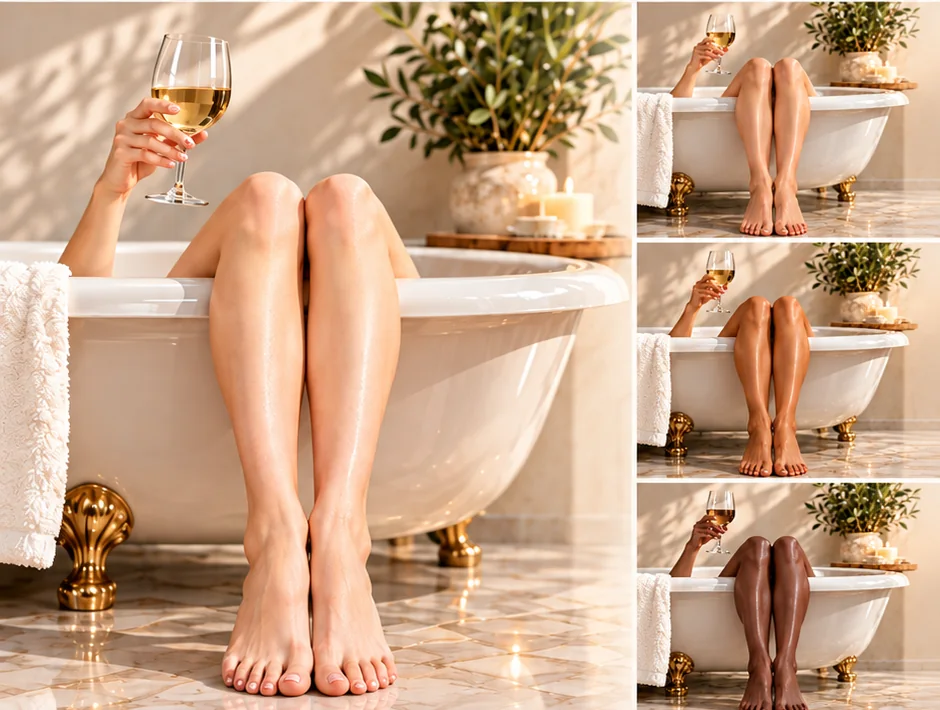
Customize. Correct. Match.
Make any diamond painting your own.
Change skin tones to reflect your vision, correct colors that don’t look right, or match the complexion of a person or the coat of a beloved pet. Upload a reference photo to discover five coordinating DMC shades.
Start with the colors you want to capture.
Portraits, candid moments, and beloved pets all make beautiful palettes.
Your photo stays on your device. Only sampled color information is sent securely to match DMC shades; stock and cart requests use DMC numbers and quantities.
Analyze your whole photo first, then review the subjects and fine-tune any colors.
Dogs and cats are usually detected automatically. For birds, rabbits or missed pets, draw a box around the area you want.
Draw a box around the fur, feathers, or markings you want to match. Keep the background outside the box to avoid adding unwanted colors.
Want colors from elsewhere in the photo? That’s fine too. Include another area in your box, or tap one of the five palette swatches and then tap its color in the photo.
Five distinctive colors for each subject, arranged from light to deep.
Colors are representative only. Actual drill colors may vary slightly due to dye lots, material differences, lighting, and screen settings.
Each DMC number appears once, even if used for several subjects. Choose a preferred material; unavailable square colors may be offered in the other square material or as a nearby DMC shade in your selected material, only with your approval.
New to replacement drills? Learn what comes in a refill bag, how round and square drills differ, and why dye lots can vary before you order.
Colors shown are approximate; actual drill colors may vary.
How to fix wrong skin tones in a diamond painting
Does a person in your diamond painting look too orange, pink, dark or washed out? Whether you purchased a ready-made kit or ordered a custom portrait, you can change the original skin colors. Our photo-to-DMC Color Studio suggests coordinated shades to help you preserve natural highlights, midtones and shadows.
Find DMC skin colors from your photo
- Upload a reference photograph. Use the original portrait or a clear image showing the complexion you want, rather than relying on colors from a poorly rendered kit.
- Analyze and review each face. The generator suggests five DMC shades, organized from highlight to deep shadow. You can fine-tune individual samples by selecting different areas of the photo.
- Shop or save your palette. Compare the suggestions with your canvas, select round or square replacement drills, and add available colors to your cart.
Choosing replacement diamond painting drills
Replacement drills are standard DMC-color drills used to finish or customize a painting. Our refill bags contain approximately 200 drills each; larger areas may require several bags. If you're replacing square drills, compare acrylic versus resin before choosing a material.
Colors can vary slightly between manufacturers and dye lots, even for the same DMC number. Try a small area first to see how the replacement colors work with your original kit.
See what you'll receive and read the replacement-drill guide↑ Return to the Color Studio palette generator
How to change the skin tone or ethnicity represented in any diamond painting
Love the artwork but want a different complexion? You can customize the skin tones of a person in almost any diamond painting—not just a custom portrait. Choose a lighter or deeper complexion, different undertones, or colors that better represent the person you envision.
- Choose a reference photo of your desired complexion. It does not need to show the person in the original painting. Upload it to our DMC Color Studio and analyze the skin tones.
- Count the colors used for skin in your painting. Look at the canvas or kit chart and identify how many original DMC colors create the highlights, midtones and shadows.
- Keep the shading relationships. Match the lightest original skin-tone areas to the lightest suitable shades from the generated palette. Replace midtones with coordinating middle shades and the darkest shadows with the deepest shades.
- Need more than five shades? Use Add another subject to sample a different skin area of the same reference photo for another palette, or fine-tune an individual swatch by selecting another area of the photo. Compare the additional colors with your canvas before ordering.
- Shop and test your replacement drills. Select the round or square type that fits your canvas, check available DMC numbers and quantities, and test a small section before changing the whole area.
Skin tone is one element of visual representation; changing drill colors can change the complexion portrayed but does not necessarily change every feature associated with a race or ethnicity.
Questions about correcting skin tones and DMC colors
Can I replace skin-tone colors in a custom diamond painting?
Yes. You can choose new DMC shades for areas such as faces, hands, and other skin tones. Check your canvas chart and consider the surrounding colors before replacing a large section.
How do I find a substitute for the wrong DMC skin color?
Start with a reference photo showing the colors you want. The generator suggests coordinated highlights, midtones, and shadows. Compare these alternatives with the drills in your kit; you can also fine-tune a sampled color.
Will black-and-white or sepia portraits work?
Yes. The tool can suggest neutral grayscale DMC shades for black-and-white photos or warm monochrome shades for sepia images, while keeping the light-to-dark structure.
Can I use this tool for pet portraits?
Yes. Choose Pets to explore replacement DMC colors for fur and coat markings. You can also manually select an area when automatic detection doesn't identify your pet.
Can I change the skin tone or ethnicity represented in an existing diamond painting?
Yes. A painting does not have to be custom-made. Upload a reference photo with the complexion you want, then use the Color Studio to identify five coordinating DMC shades. Compare highlights, midtones and shadows with the original canvas and replace the skin-tone drills. Color changes can help convey your intended appearance, although ethnicity involves more than skin tone.
What if my painting uses more than five skin-tone DMC colors?
Count the shades in your original chart. You can sample another region of your reference photo using Add another subject or refine individual color swatches. Keep highlights light and shadows dark when matching your replacements.